veesly.com
Streak Keeper app icon

Streak Keeper

Daily streaks, without the noise.

Keep daily streaks going with one clear checkbox, flexible Pause Days, and a history that stays easy to read.

How Streak Keeper works

  1. Set it up

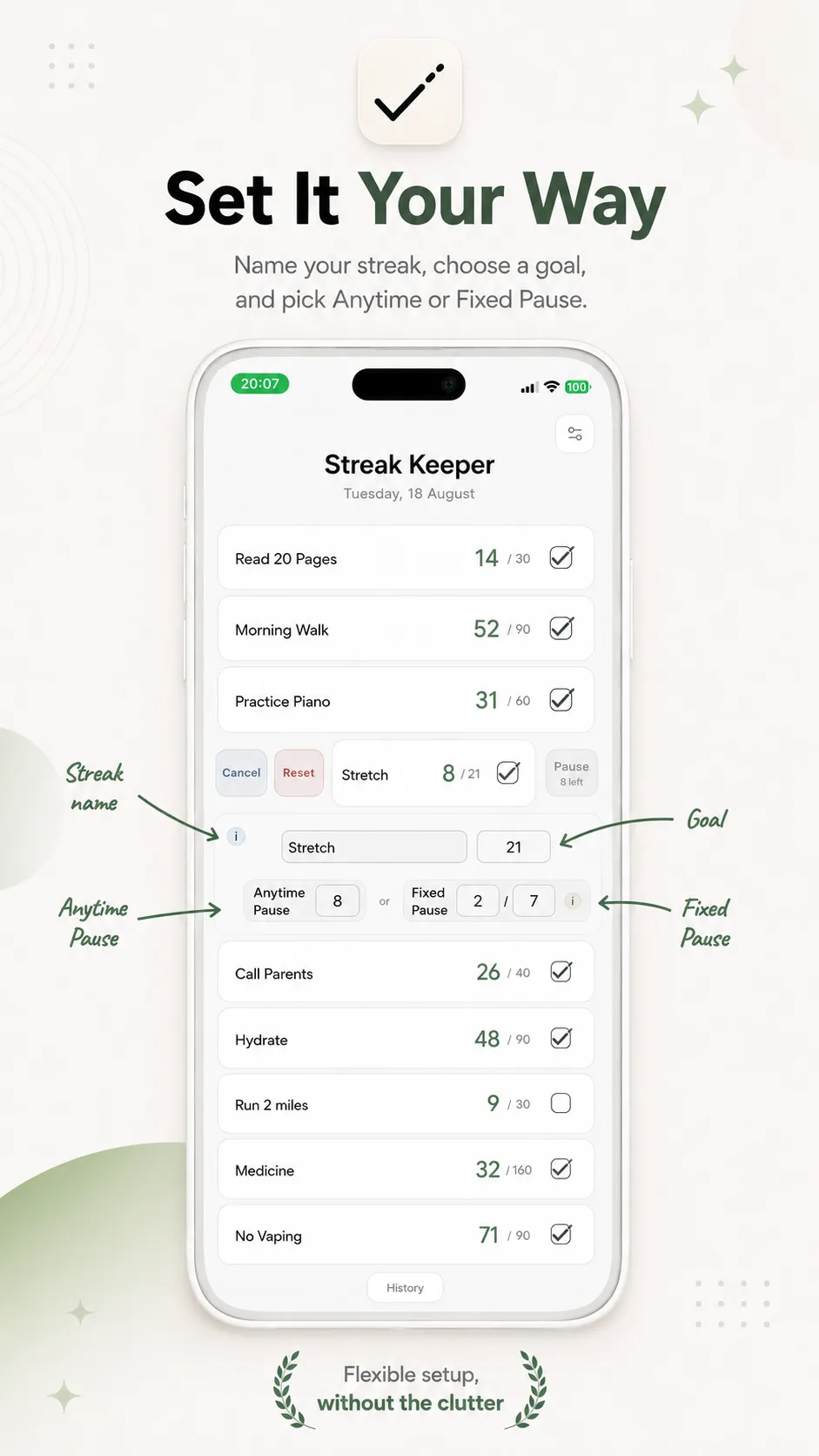
    Swipe an empty row, give your streak a name, and choose a goal.

  2. Check it off

    Tick today's box when you're done. Untick it if you need to undo.

  3. Keep it going

    Use Pause Days when you need a break without ending the streak.

What Streak Keeper does

Overview

Eight streaks. One clear screen.

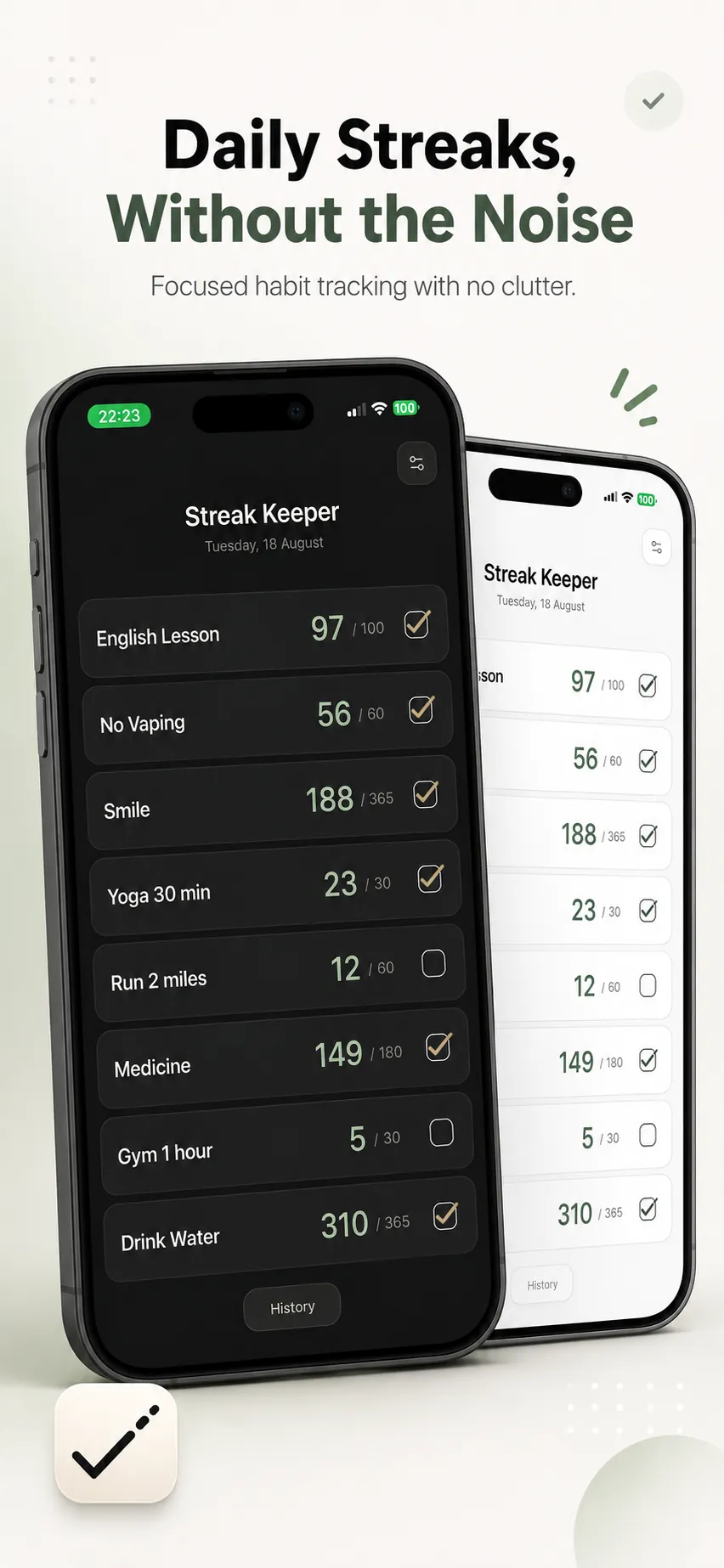
Keep up to eight daily streaks in one place. Each row shows what matters: the name, your current count, your goal, and today’s checkbox.

  • Up to eight daily streaks
  • Count and goal at a glance
  • No ads or trophies
An iPhone showing the Streak Keeper home screen — six named daily streaks with running counts and checkboxes, most checked off for the day — resting against a stone block in warm natural light.

Daily

One clear action each day.

Tick a streak when it's done. Untick it if you change your mind. Streak Keeper keeps today's action simple and your progress easy to follow.

  • Tick today's completion
  • Untick to undo
  • One completion per day
An iPhone on a wooden tabletop showing the Streak Keeper home screen with a mix of checked and unchecked streaks for the day.

Flexible

Flexible when life isn't.

Set a goal, edit a streak when you need to, and choose how Pause Days work. Use them when you need a break without throwing away your progress.

  • Edit the name or goal
  • Anytime or Fixed Pause Days
  • Reset when you want a fresh start
An iPhone showing the Streak Keeper Edit view open for a streak, with its name and goal fields and the Anytime/Fixed Pause Day options visible, other streaks listed below.

Consistency

Built for the long run.

Whether a streak is on day 5 or day 200, the home screen stays easy to read. History is there when you want a closer look, without turning the app into a game.

  • Long streaks stay easy to read
  • History when you want it
  • No account required
The Streak Keeper home screen at night, showing six named daily streaks with running counts, most checked off for the day, on an iPhone beside a lit bedside lamp.

FAQ

Common questions

How do I create a streak?

Slide an empty row to the right. A small editor opens right there — give it a name and a goal, then close the row to save it.

How do I complete or undo today?

Tap the tick box to mark it done for today — that adds one day to your count. Made a mistake? Untick it to undo today's completion. You can only complete each streak once per day, and only for today.

What can I change after a streak starts?

The count takes care of itself — you don't need to edit it manually. Tick today's box to move it forward, or untick it if you made a mistake.

Once a streak starts, its setup is locked. If you want a different name, Goal, or Pause setup, reset the row and start again.

What happens if I miss a day?

If you miss a day, Streak Keeper first checks whether an available Pause Day can cover it. If not, the streak ends and stays on Home so you can see the final result before starting again.

What is a Pause Day?

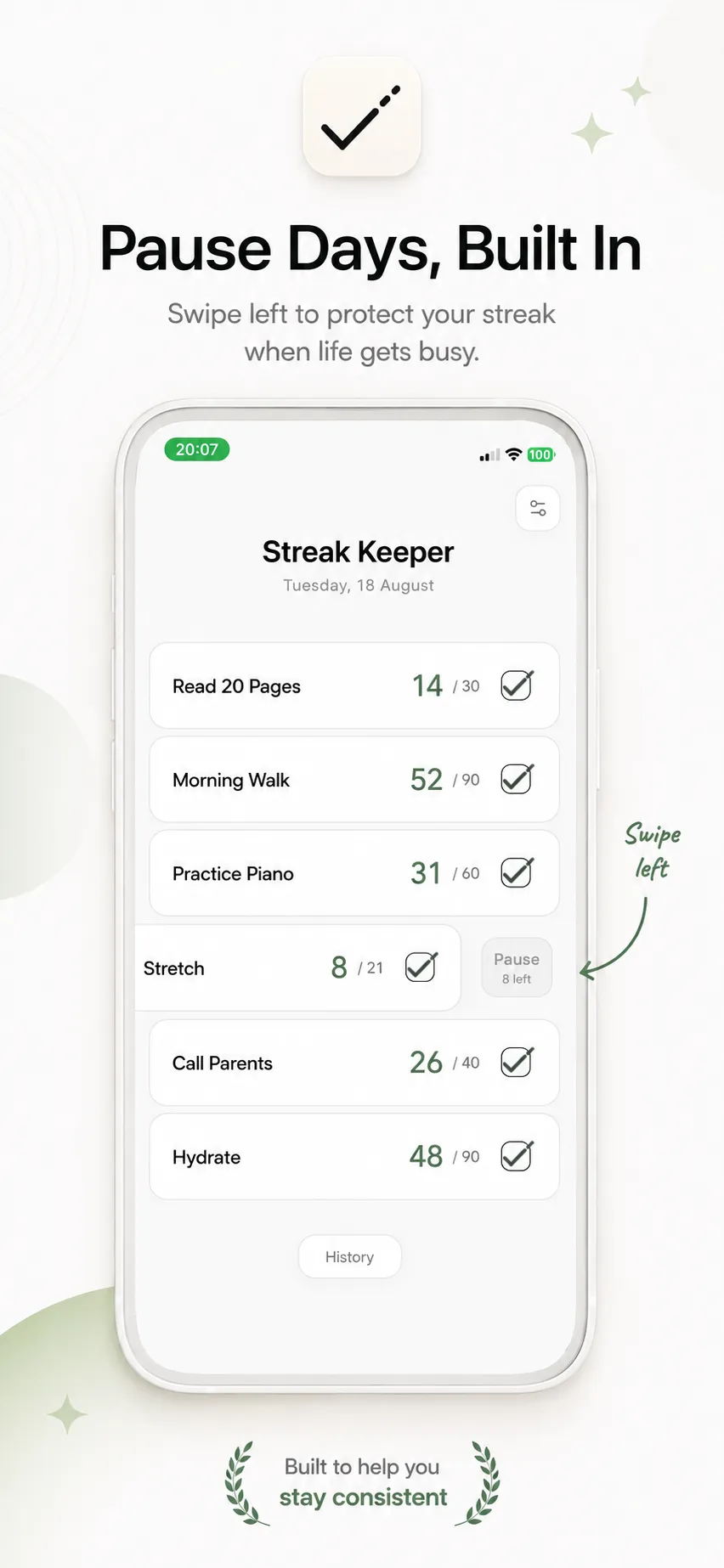
A Pause Day preserves your streak without adding to the count — perfect for planned rest. Swipe a configured row left and tap Pause to use one, and tap again to undo it. Set up Anytime (use one whenever you like) or Fixed (on a repeating schedule) in Edit, once your goal is set. Either way, Pause days can never add up to more than your goal.

How do Fixed Pause Days work?

A Pause Day is applied automatically according to your Fixed Pause setup. Edit stays available, but the Pause action and tick box are both off for that day.

How do I reset a streak?

Swipe the row right, then tap Reset among the actions behind it. The row goes back to its default setup — any earlier History stays put unless you delete it separately.

What happens when a streak ends?

An ended streak stays on Home so you can see the final result before starting over. Reset the row when you're ready to begin again.

How does History work?

Tap History at the bottom of Home to see every streak you've saved — its start date, goal, days completed, and when it ended, if it has. Very short, one-day streaks aren't kept.

Can I delete History?

Open History, expand an entry, and tap Delete. There's no bulk-delete yet, and deleting an entry may be permanent.

How do export and import work?

Export creates a JSON file of your History that you can save or share. Import reads one of those files back in and adds its valid records — it never replaces what's already on Home.

Where is my data stored?

Your streaks and History live on your device — Streak Keeper doesn't need an account or send them anywhere. If you contact Support, your message goes through your own email app, and includes only the issue type, app version, platform, and what you write.

Support

Still need help?

Tell us what happened and we will get back to you by email. The same questions are answered in the app under Settings → Support.

0 / 2000

We use your email address and message to answer your request, and nothing else. How we handle this